


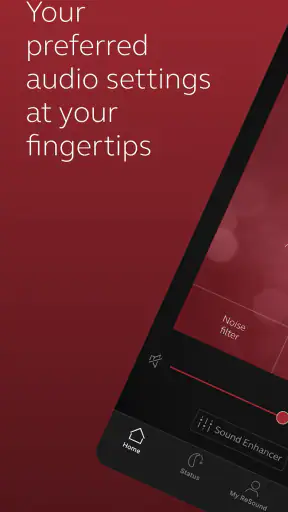
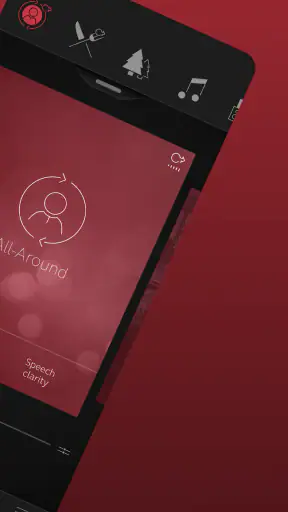
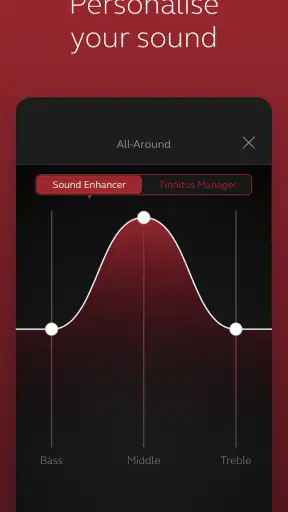

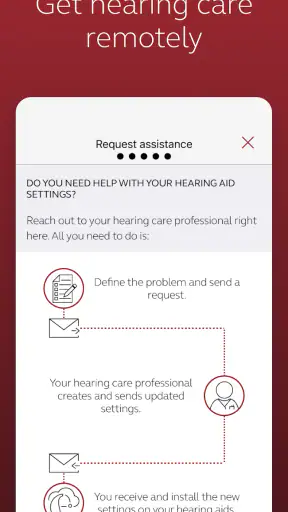
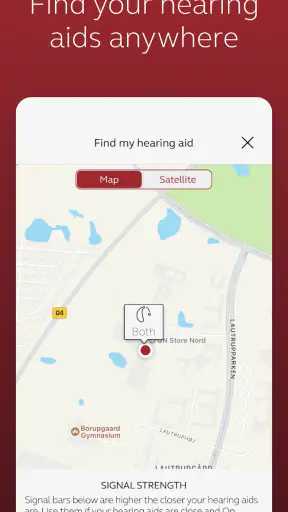
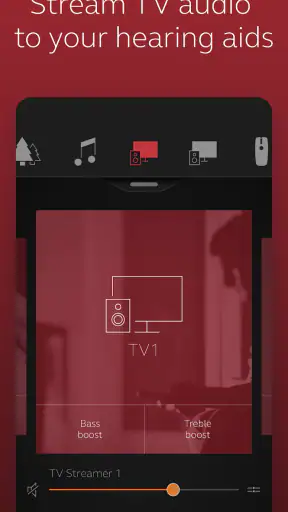
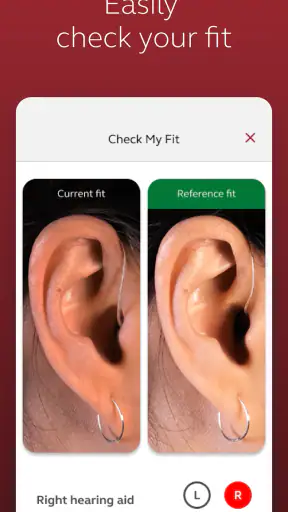
For someone wearing compatible ReSound hearing aids, ReSound Smart 3D is the kind of medical app that makes the phone feel like a practical part of the hearing setup rather than just another accessory. I approached it as a first-time user would: install it, connect it, find a useful adjustment, and see whether it actually reduces everyday friction. My overall impression is positive. The app is free, aimed at everyone, and developed by GN Resound, but its usefulness depends heavily on owning hearing aids that work with it.
The important expectation to set from the beginning is that this is not a general hearing-test app or a replacement for professional fitting. It is a companion for ReSound hearing aids. That distinction shapes almost every part of the experience. If you already use compatible devices, the app can put controls that might otherwise require buttons, a remote, or a visit to a hearing professional within easier reach. If you do not use ReSound hearing aids, there is little reason to install it simply to explore.
Getting from installation to a useful daily routine
What the app feels like before you connect anything
The first impression is more functional than entertaining, which suits its medical purpose. ReSound Smart 3D is listed under the Medical category, and I think that is the right way to view it: a control companion designed around a specific piece of hearing equipment. It is not trying to replace the hearing aids themselves. Instead, it gives the user a more convenient way to interact with them when reaching for the devices is awkward or when a small change is needed at a particular moment.
The audience is broad in age, reflected by its Everyone content rating, but the actual user experience is especially relevant to people who want straightforward control without learning a complicated technical system. A family member may help with the first connection, yet the daily actions are intended to become familiar. That matters for older users, people with limited patience for phone settings, and anyone who wants to make a quick adjustment discreetly in public.
The app has built a substantial user base, with over a million installs and an average rating of 4.5 from roughly 47 thousand ratings. Those figures suggest that it is not an obscure experiment, although popularity should not be confused with universal compatibility. The practical question is still whether your particular ReSound hearing aids are supported and whether your phone meets the software requirements.
Starting the first setup without getting lost
I would begin with the hearing aids charged, close to the phone, and already switched on according to their normal routine. Then I would install the app and take the pairing process slowly rather than tapping through every screen as quickly as possible. With hearing devices, the most frustrating problems often come from distance, power state, or phone connectivity rather than from the app itself.
A useful first-time habit is to keep both hearing aids near the phone during setup and avoid moving between rooms. If the app asks you to allow a connection or select the devices, read the wording carefully. It is tempting to assume that seeing one device means the whole system is ready, but left and right hearing aids can behave as separate items during connection. Taking a moment to check that both are recognized can prevent confusion later when only one side responds.
I would also avoid beginning the setup in a noisy café, on public transport, or while rushing out of the house. The first connection is the wrong time to troubleshoot under pressure. A quiet room gives you a better chance to notice whether a change came from the app, the hearing aids, or the environment. Once the pairing works, later use is much less intimidating because you know what a successful connection looks like.
The current version is 1.43.1, and the listed minimum operating system is Android 8.0. That makes the app accessible to many older Android phones, but compatibility is not determined by the operating system alone. The hearing-aid model and the phone’s own wireless behavior still matter. I would check those two points before treating an unsuccessful pairing attempt as evidence that the app is broken.
The first meaningful success should be small
For a first session, I would not try to understand every available control. The best early success is simply connecting the hearing aids and making one deliberate change that helps in a real situation. For example, if I were sitting at home listening to someone speak, I would open the app, confirm that the hearing aids are connected, make a modest adjustment, and then return my attention to the conversation.
That small test is more useful than randomly changing several settings. If the sound improves, you know which action produced the result. If it does not, you have not created a confusing combination of changes that you later need to undo. I recommend keeping the first adjustment conservative. Hearing is personal, and a setting that seems clearer in one room may become tiring or uncomfortable after longer use.
A realistic everyday scenario is a family meal. Conversation may shift between a person beside you and someone across the table, while plates and background noise compete for attention. Instead of waiting until the end of the meal to decide that the hearing aids are not helping, I would use the app as a discreet control point: check the active connection, choose the most suitable available option, and give the change a few moments before judging it. The goal is not to chase perfect sound every minute. It is to make one situation manageable enough to stay involved.
This is where the app has an advantage over relying only on physical controls. A phone screen can make the current choice easier to understand, especially for someone who finds tiny buttons or repeated beeps difficult to interpret. It can also help a caregiver understand what the wearer is trying to change. That said, the phone becomes part of the chain, so a low battery, a forgotten handset, or an interrupted connection can remove that convenience.
How I would use it during the first week
During the first few days, I would treat the app as a record of what works rather than as a control panel to explore constantly. Notice the places where a change is genuinely helpful: a quiet conversation, television, a walk outside, or a busy gathering. Then use the app consistently in those situations. This makes it easier to distinguish a useful routine from a setting that only sounded impressive for a few seconds.
One non-obvious benefit of this approach is that it can reveal whether the problem is situational or persistent. If the same adjustment helps only in one environment, that may be normal. If speech remains difficult everywhere, repeatedly changing app controls may not be the right answer. In that case, I would stop experimenting and discuss the issue with a hearing professional. An app can provide convenience, but it should not encourage a user to postpone a needed fitting or examination.
I would also keep a simple mental note of which side seems to need attention. When only one hearing aid responds, the instinct is often to restart everything immediately. Before doing that, I would check whether both devices are close to the phone and whether the app shows both as connected. This is a practical troubleshooting step that saves time and avoids unnecessary changes to settings that were already working.
Common confusion around controls and expectations
The biggest source of confusion is expecting the app to behave like a universal audio equalizer. ReSound Smart 3D is tied to ReSound hearing aids, so what appears on screen is part of that hearing system rather than a collection of independent phone audio tools. Changing the phone’s media volume, for instance, is not the same thing as adjusting what the hearing aids are doing. Keeping those two layers separate makes the experience easier to understand.
Another common mistake is judging a setting immediately. Hearing aids process sound for real environments, and a change that feels noticeable at first may not be comfortable over a full conversation. I prefer to make one change, listen for a short while, and then decide whether it helps speech, reduces distraction, or merely makes sound louder. Louder is not automatically clearer, and more control is not automatically better.
Users may also wonder why the app is not responding when the phone appears to be nearby. Proximity helps, but it does not guarantee a perfect connection. The hearing aids may not both be active, the phone may have lost its wireless link, or another connection attempt may have interrupted the process. My practical sequence would be simple: move the phone closer, check both devices, reopen the app if needed, and only then consider restarting the connection. This order avoids turning a minor interruption into a full reconfiguration.
It is equally important not to assume that every hearing-related need belongs inside the app. Ear discomfort, sudden changes in hearing, persistent imbalance between sides, or sound that becomes painful should not be handled by endlessly adjusting settings. Those situations call for professional advice. The app is best used for everyday control and convenience, not diagnosis.
Where it compares well with ordinary alternatives
The usual alternatives are physical controls on the hearing aids, a separate remote, or asking another person for help. Physical controls have the advantage of working without taking out a phone, and they may be faster when the user already knows the button sequence. Their weakness is feedback: it can be hard to remember which press changes what, particularly in a noisy place.
A separate remote can be easier for someone who does not want to use a smartphone, but it adds another object to carry and keep charged or nearby. The app wins on convenience for people who already carry their phone everywhere. It also makes the interaction feel less mysterious because the user can see what they are selecting rather than relying entirely on touch or sound cues.
Compared with general hearing apps, this one is more focused. That focus is a strength when the hearing aids are compatible because the controls are connected to the equipment the user actually wears. It is a weakness for anyone seeking hearing screening, broad educational content, or support for another manufacturer’s devices. In those cases, a professional appointment or the companion app made for the relevant hearing-aid brand would be a better choice.
Who will benefit most, and who should skip it
I would recommend it to a ReSound hearing-aid wearer who wants easier day-to-day control, especially someone who finds physical controls hard to use or wants to make adjustments discreetly. It can also suit a relative who helps a new wearer learn the routine, provided the wearer remains involved in decisions about comfort and hearing quality.
I would skip it if I were looking for a standalone hearing test, a diagnosis, or a solution for hearing difficulty without compatible ReSound equipment. I would also be cautious about recommending it to someone who strongly dislikes smartphone-based controls. In that case, physical controls or a dedicated remote may be less frustrating, even if they offer less visible guidance.
The free price removes a financial barrier to trying it, but the real investment is attention during setup. A user who expects to install it and immediately solve every listening difficulty may be disappointed. A user who sees it as one part of a hearing-care routine is more likely to find lasting value.
The next step after the first successful adjustment
Once the basic connection works, I would build a short routine around the places where I actually listen. Before leaving home, check that the hearing aids are connected. In a quiet conversation, avoid changing anything unless there is a clear reason. In a noisier setting, make one adjustment and evaluate it patiently. Afterward, return to the setting that feels comfortable instead of leaving an experimental change active for the rest of the day.
That workflow turns the app from something to troubleshoot into something predictable. It also helps answer the questions most first-time users have: whether a phone is necessary every moment, whether one change should be made at a time, and when to stop adjusting. My answer is that the phone is most valuable when you need control, not when you are already comfortable. One change at a time is the safest way to learn. And persistent problems belong with a hearing professional rather than with more tapping.
GN Resound has kept the product focused on its hearing-aid ecosystem, and that specialization is both its clearest strength and its firmest boundary. The app does not make sense as a general medical download, but for the right wearer it can remove small obstacles that add up across a day. The large number of ratings and the 4.5 average give it a reassuring public track record, while the free access makes a trial straightforward.
My final view is that ReSound Smart 3D is worth installing when you own compatible ReSound hearing aids and want a more understandable way to manage everyday listening. I would approach it patiently, start with one successful action, and resist the urge to treat every sound problem as a setting problem. Its real value is not endless adjustment; it is giving the wearer a practical, discreet bridge between the hearing aids and ordinary daily situations.


